- GSTINOnly if you're GST registered
- FSSAI licence numberPrinted on every bill
- Your UPI IDFor example hotelname@okaxis
- Owner loginBill details are owner settings
- 1Restaurant details — name, address, phone, GSTIN and FSSAI (step 1)
- 2Bill number — your prefix and numbering (step 2)
- 3TAX INVOICE with CGST + SGST — or CASH MEMO with GST off (step 3)
- 4UPI QR with the exact bill amount (step 4)
- 5Bill footer — your thank-you line (step 1)
Sample bill — your details print in their place.
Restaurant details and footer
Click More → Settings → Restaurant, then find Restaurant (printed on bill).
Bill numbers
In the same card: Bill number prefix and Bill numbers.
The prefix (for example TB) starts every bill number. Then choose how numbers count:
One number after another, forever.
TB000049Starts again each financial year, with the year in the number.
TB26-27/00049GST on or off
In Settings → Restaurant → Features, use the GST on bills switch.
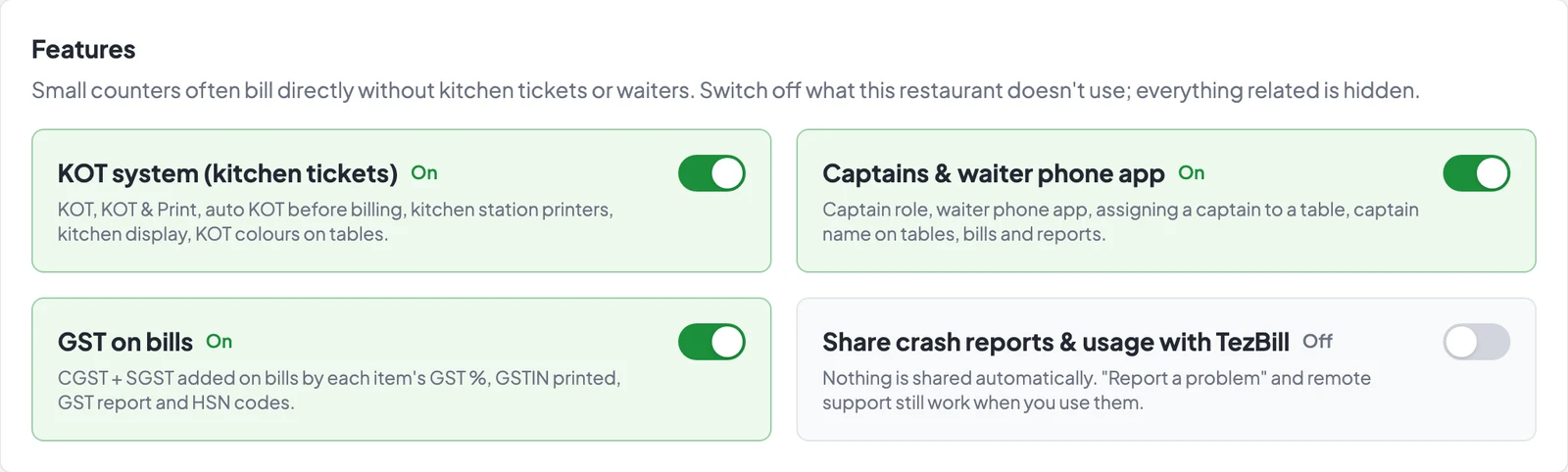
CGST + SGST added from each item’s GST %, GSTIN printed, GST report and HSN codes.
No tax on the bill and no GSTIN — for restaurants that aren’t GST registered.
UPI QR on the bill
In Settings → Billing & offers, find UPI QR on bill.
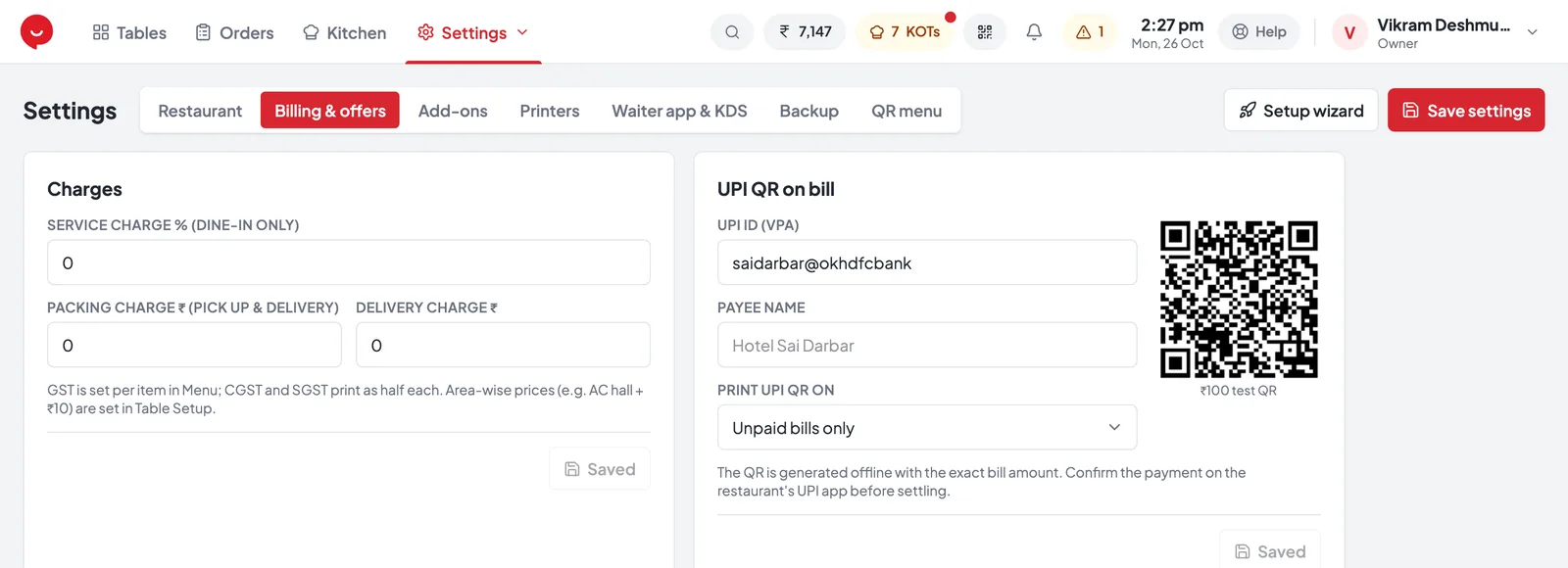
- 1Billing & offers tab in Settings
- 2UPI ID (VPA) — e.g. hotelname@okaxis
- 3Payee name — shown in the customer’s UPI app
- 4Print UPI QR on — unpaid bills only, or every bill
- 5Test QR — scan it with your phone to check the UPI ID
- 6Charges — service, packing and delivery (step 5)
- 7Save settings
The QR prints until the bill is settled — best for dine-in.
Also on bills printed after Save & Settle.
Service and packing charges
Optional — in the Charges card on the same screen. 0 = no charge.
Dine-in only. Added to the bill as Service Charge.
Pick up and delivery orders.
Delivery orders.
Higher prices in one room, like AC Hall +10%? That’s set per area — see Set up areas and tables.
Common questions
Tap a question to see the answer.
Can the bill print in Marathi?
No — bills and KOTs always print in English, even when the screen is in मराठी. Thermal printers can’t print Marathi.
Where do I set GST % for each item?
In More → Menu, on each item. CGST and SGST each print as half of it. See Set up your menu.
Does the UPI QR need internet?
No. The QR is made on the PC with the exact amount. Always check the payment arrived in your bank’s UPI app before you settle.
Can I change the bill number prefix later?
Yes. Numbers never repeat — even if the prefix changes or bills are deleted.