- Restaurant Wi-FiPhones and counter PC on the same one
- Any phoneAndroid or iPhone, with a camera
- A PIN for each waiterAdded in More → Staff as Captain
- Captain app switched onSettings → Restaurant → Features
Waiters need their own PIN — see Staff, PINs and permissions. KOTs print where you set them in Connect your printers.
Connect a phone
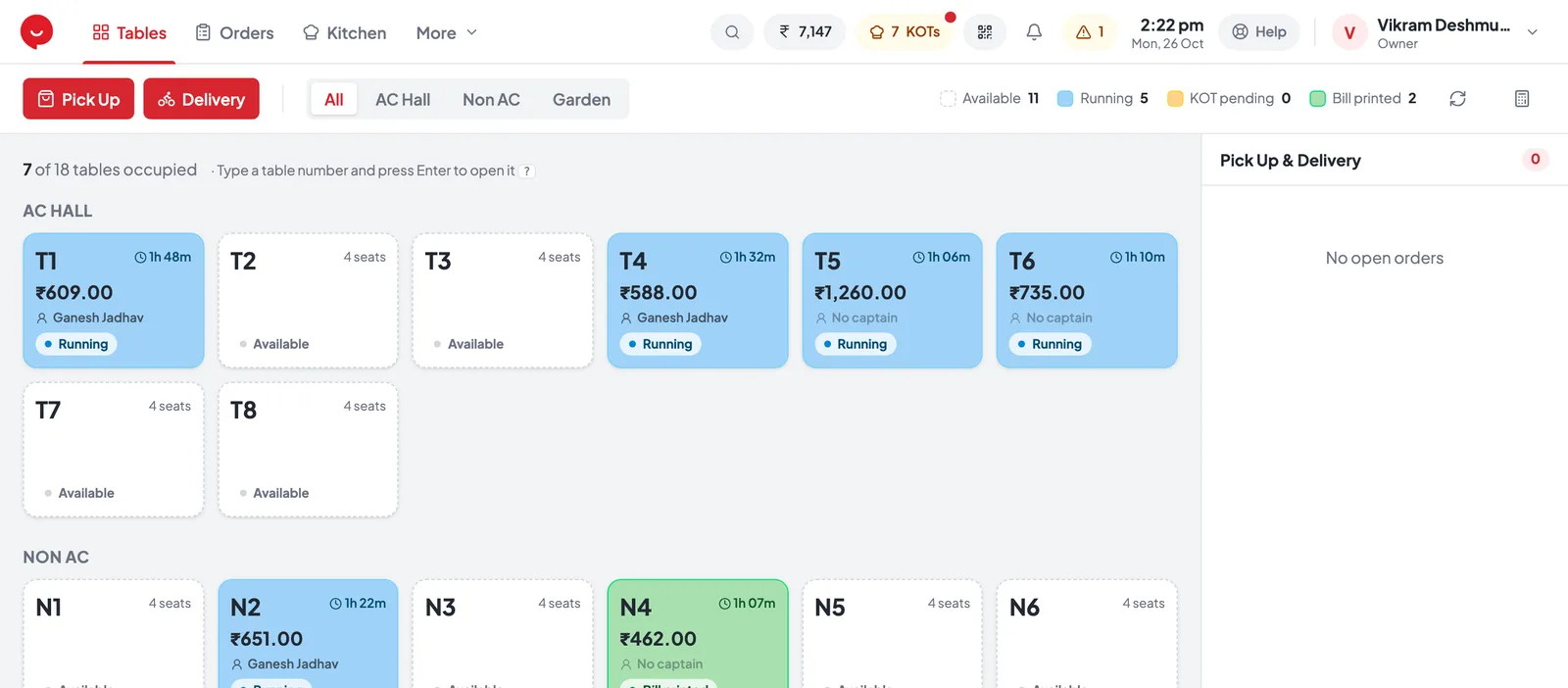
On the counter PC, press the QR button at the top — Connect a waiter’s phone.
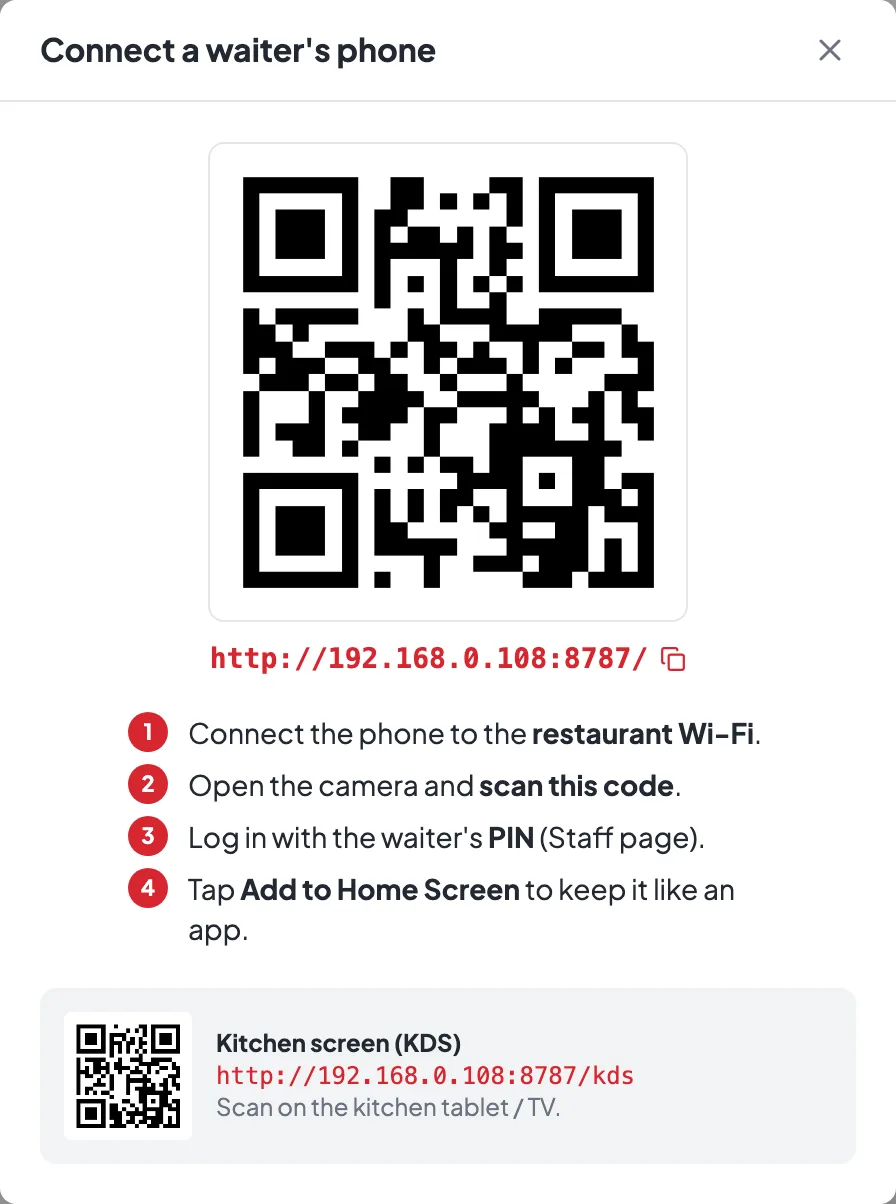
- 1. Same Wi-FiConnect the phone to the restaurant Wi-Fi.
- 2. Scan the QROpen the phone camera and scan the code on the counter.
- 3. Waiter's PINLog in with their PIN from Staff.
- 4. Add to Home ScreenSo it opens like an app next time.
Log in on the phone
Each waiter uses their own PIN, so every order shows who took it.
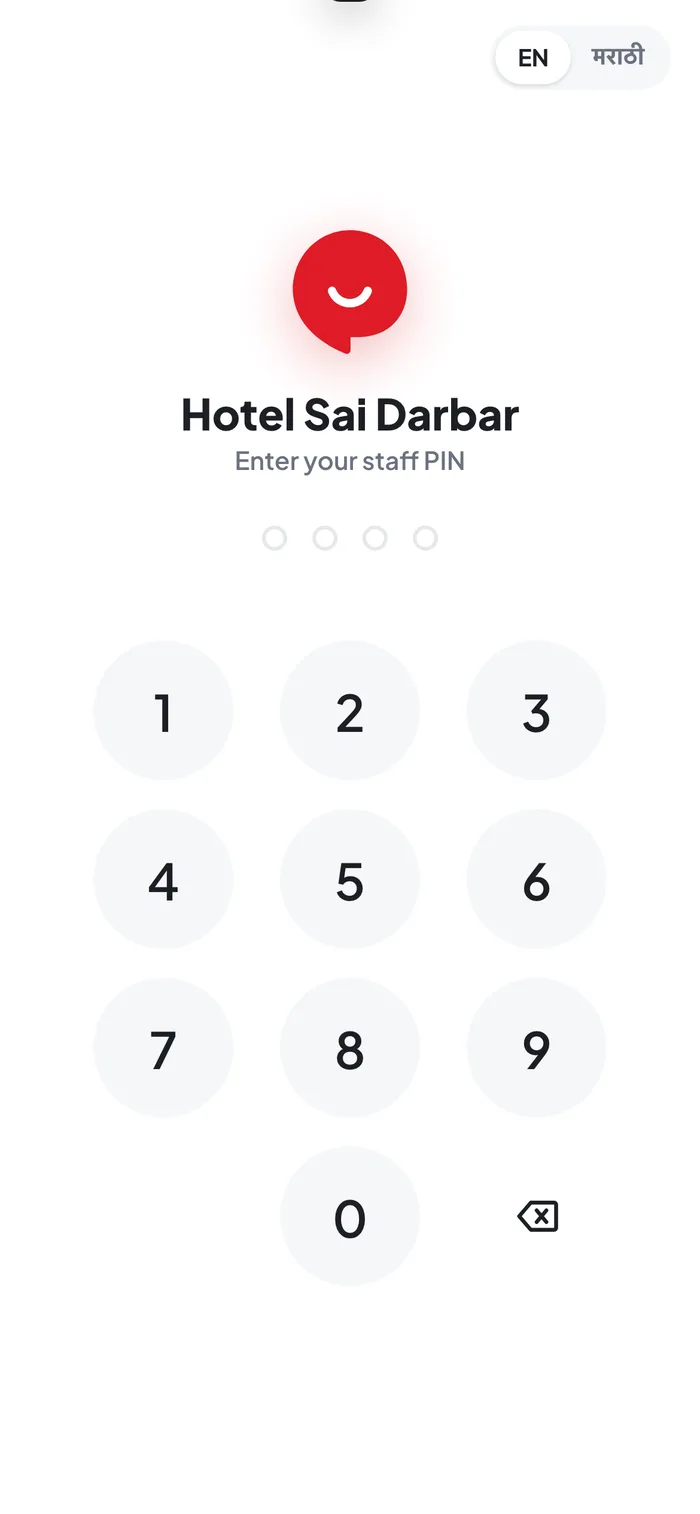
- 1EN / मराठी — the waiter can pick their language.
Type the PIN on the pad. In the browser menu, tap Add to Home Screen — next time it opens from its own icon.
Take an order
Tap the table, then add dishes.
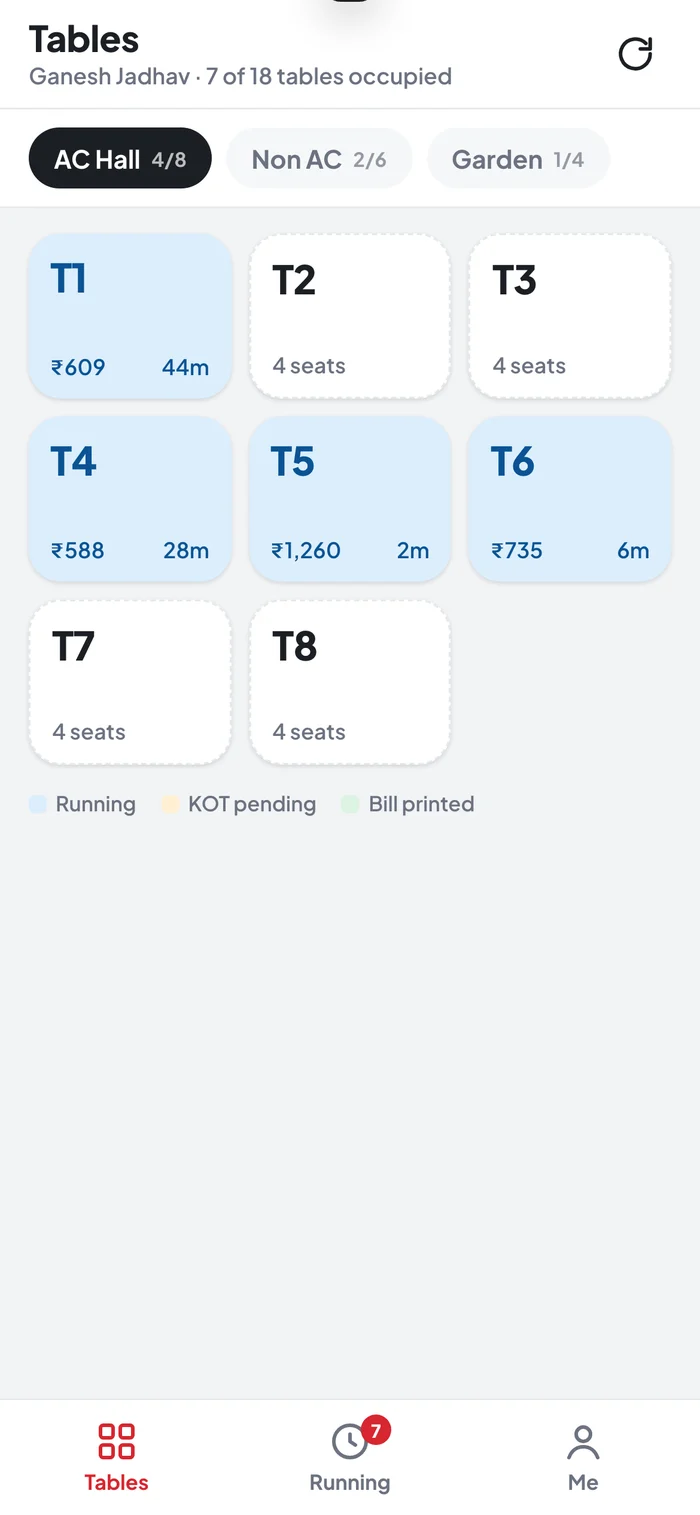
- 1Running table — blue, with its total and time.
- 2Free table — tap it to start an order.
- 3Running — open orders, at a glance.
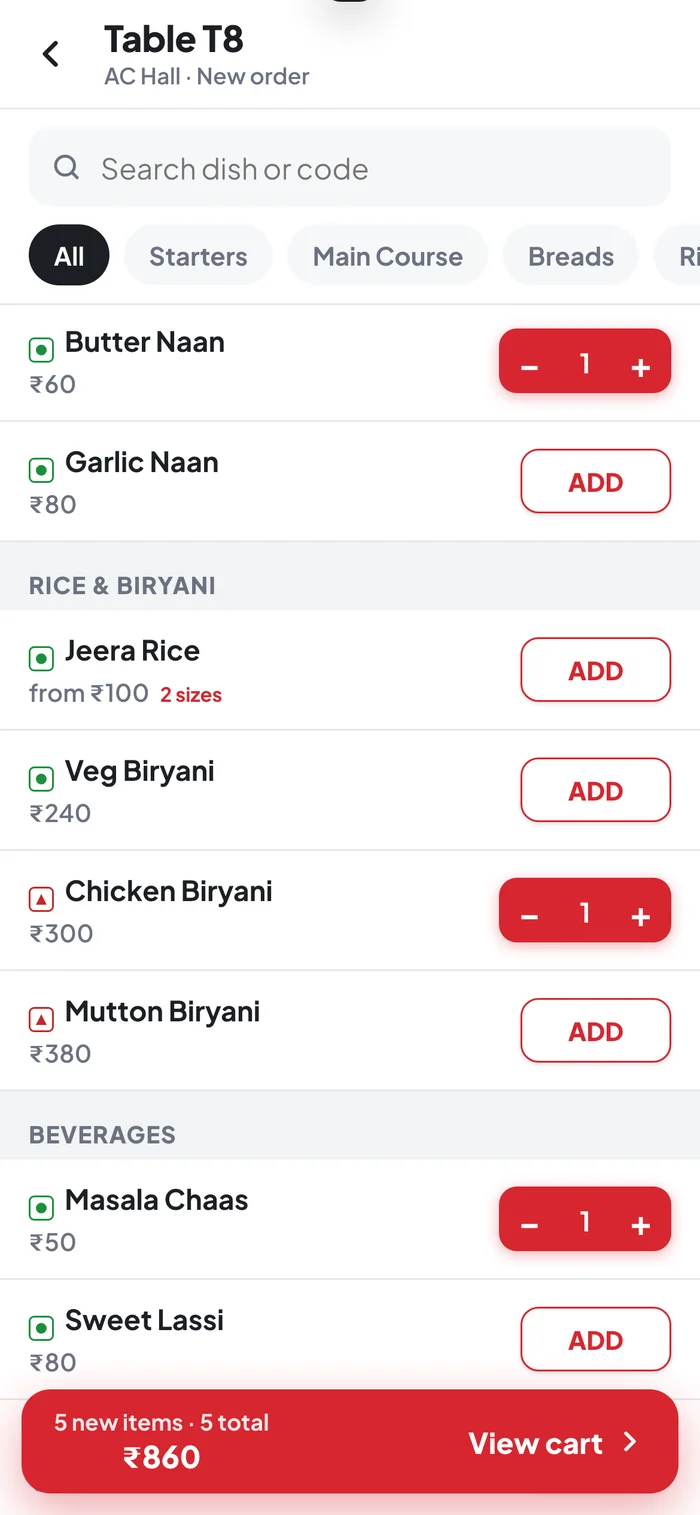
- 1Search a dish or its short code.
- 2ADD — then − / + for the quantity.
- 3View cart — check the order before sending.
Send the KOT
Open View cart, add notes, then send.
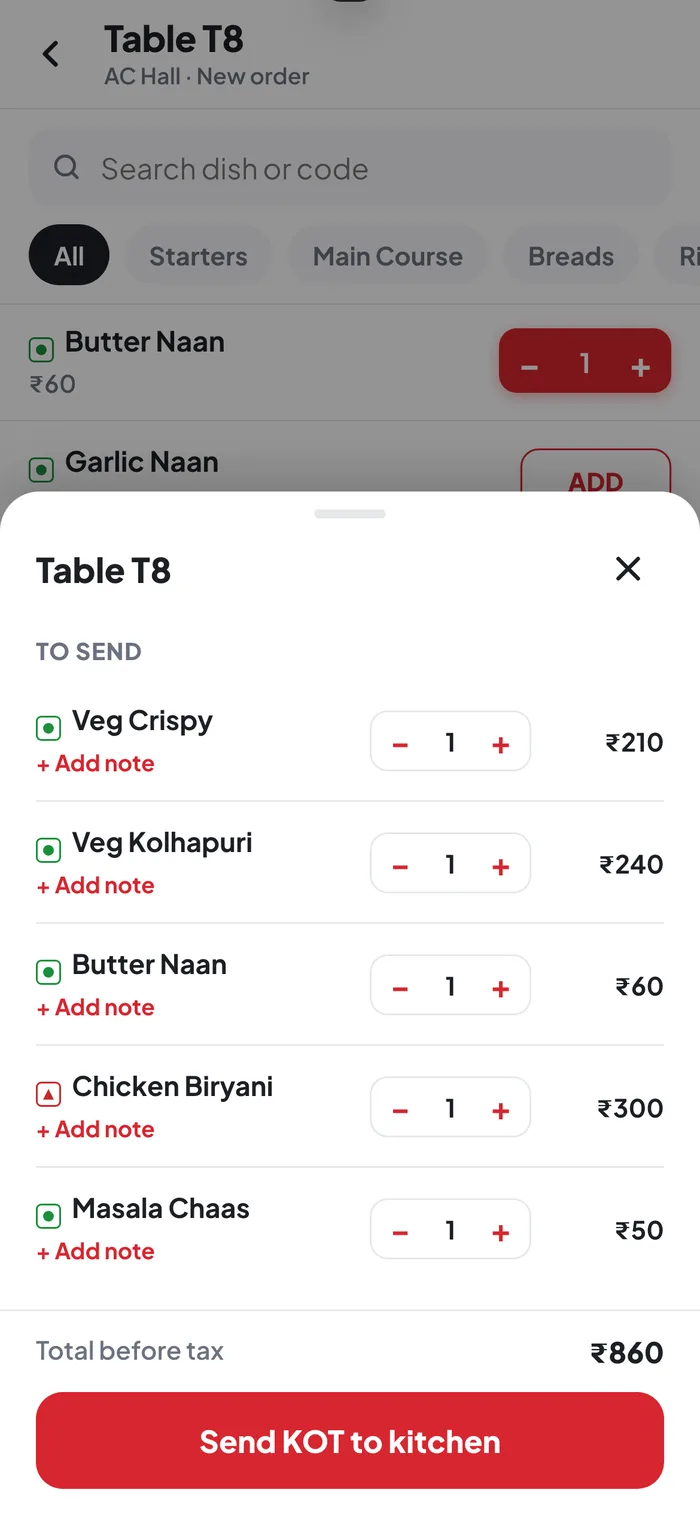
- 1+ Add note — Less spicy, Jain, No onion…
- 2Send KOT to kitchen — prints at the right station.
The KOT prints at the right kitchen station straight away, and the table shows up on the counter. When the guests want the bill, the counter prints it and settles.
What the phone can do
Phones take orders. Money stays at the counter.
- Take dine-in orders at the table
- Add notes for the kitchen
- Send KOTs to the right printer
- See which tables are running
- Discounts
- Payments and settling bills
- Parcel and delivery orders
If it doesn't connect
Tap a question to see the answer.
The phone can't open the page
The phone must be on the same Wi-Fi as the PC — not a guest network or mobile data. If a red bar on the PC says Allow on Wi-Fi, press it and choose Yes in Windows. Type the address with http, not https.
Does it need internet?
No — only the restaurant Wi-Fi. Orders go straight from the phone to the counter PC.
Do waiters install an app?
No. It opens in the phone’s browser. Add to Home Screen gives it an icon like an app.
Can the captain app show Marathi?
Yes — tap मराठी at the top of the PIN screen. KOTs still print in English.